 Home
Home Products
 Exclusive Items
 Support
 WhatsApp Group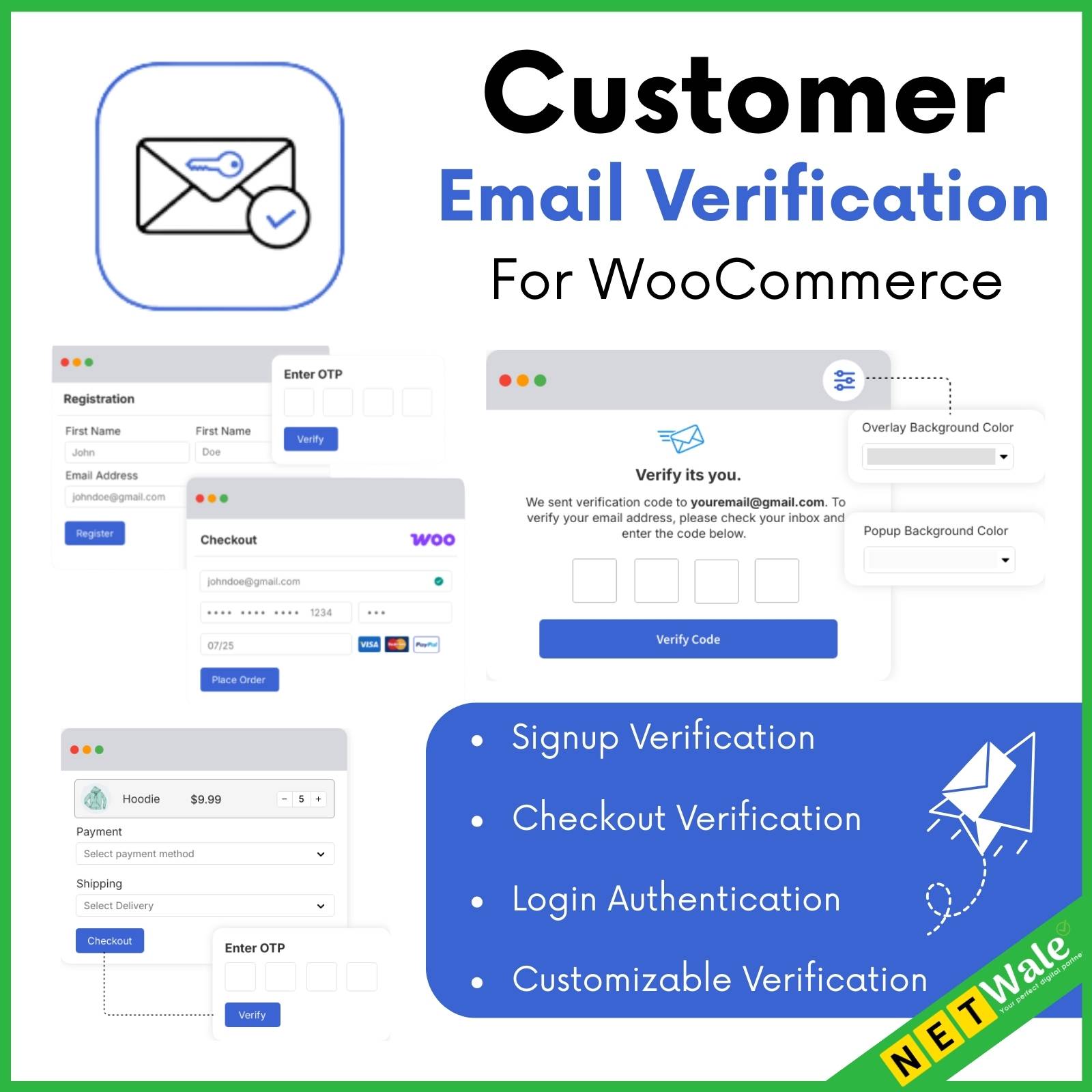


Signup Verification
When a user registers on your WooCommerce store, they must verify their email before their account is created. As soon as they complete the signup form, an automated verification email with a unique OTP (One-Time Password) is sent to their inbox. A verification popup appears on the registration page, prompting users to enter the OTP. If they do not verify their email, their account remains uncreated, ensuring that only valid customers can register. Users can request a new OTP if needed, and the verification process remains seamless and secure. This feature helps prevent fake registrations, spam accounts, and unauthorized signups, improving your store’s security and data accuracy.
Checkout Verification
For guest users who want to make a purchase, email verification is required before completing the checkout process. This ensures that only genuine users can place orders, reducing fraudulent and spam purchases. When a guest user enters their email on the cart or checkout page, a verification email with an OTP (One-Time Password) is sent to their inbox. They must enter the OTP to proceed with the order.
Additionally, there is an option to require checkout verification only for free orders, ensuring that users claiming free products verify their email before completing the order.
Login Authentication
Enhance the security of your WooCommerce store with Login Authentication, ensuring that only verified users can access their accounts. This feature provides two levels of authentication to protect user accounts from unauthorized access.
The first option sends an email notification whenever a user logs in, informing them of the login activity, including details such as the device and location. This helps users stay informed and take action if any suspicious activity is detected.
The second option adds an extra layer of security by requiring email verification when a user logs in from a different browser, a new device, or after a certain period of inactivity. In this case, an OTP (One-Time Password) is sent to the registered email, and the user must enter it to complete the login process. Without verifying the OTP, they will not be able to access their account, ensuring protection against unauthorized logins.
Customizable Verification Experience
Enhance the user experience with a fully customizable verification popup and email design. Store admins can personalize the verification popup’s layout, colors, text, and styling to match their brand identity, ensuring a seamless and professional look.
Additionally, the verification email content can be customized to include personalized messages, branding elements, and clear instructions for users to complete their email verification. These customization options help create a cohesive and branded experience while improving user engagement and trust.
Related products